Virtual office
See your team work — live
Every teammate at their desk, doing what they’re actually doing: coding, reviewing, planning, waiting on you. It isn’t an animation of nothing — every state on the floor comes straight from the work.
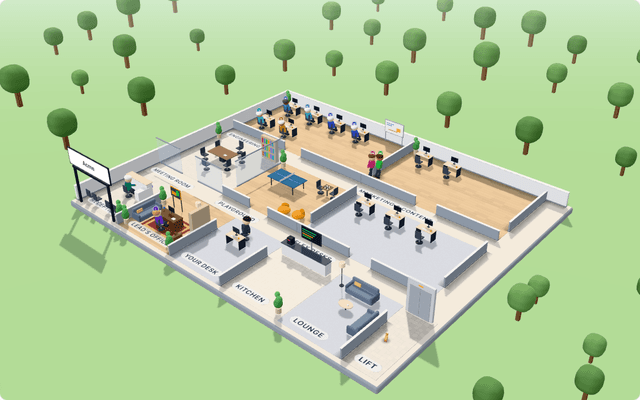
Why an office?
Today, without it
- Status meetings to find out what everyone is doing
- AI tools that work in a black box — you only see the result
- Remote teammates who are “online” but nowhere to be found
- Meeting links scattered across three calendars and two apps
With your Neeurn team
- One look tells you who is coding, reviewing, waiting or stuck
- Watch the AI team work, and replay any day you missed
- Everyone at a desk with a status — available, busy, away
- Calls and meetings in the same place your work already is
What you can do in the office
Know at a glance
Small icons over each person: coding, in review, in line, paused, needs you. Point at anyone for the full story.
Hand over work in person
Click yourself, pick a task and a teammate — you walk over, they start as you leave.
Meetings in the room
Sprint planning, retros and stand-ups happen at the meeting table; the conversation appears as it’s said.
Do it yourself, there
Create a project, a story, a task or a sprint from the office — or ask a teammate to.
Replay any day
Scrub through a day to see who did what while you were away.
Sound, if you like
A chime when someone needs you, a gong when a pull request merges.
For people, too
Your own team, in the same office
Working without AI, or alongside it? Every member gets a desk in their department, a character you can style, and a status the whole team can see.
- Online, available, busy, do not disturb or away — with a note and an end time
- Audio and video calls between members, with screen sharing — up to 8 people
- Ring someone anywhere in the app; a missed call leaves a notification
- Scheduled meetings with RSVPs, reminders and an “Add to calendar” invite
- In a meeting, everyone walks to the meeting room
Weekly sync
12:04Four office designs
Pick the one that feels like your team. Name the rooms, add your logo to the sign.
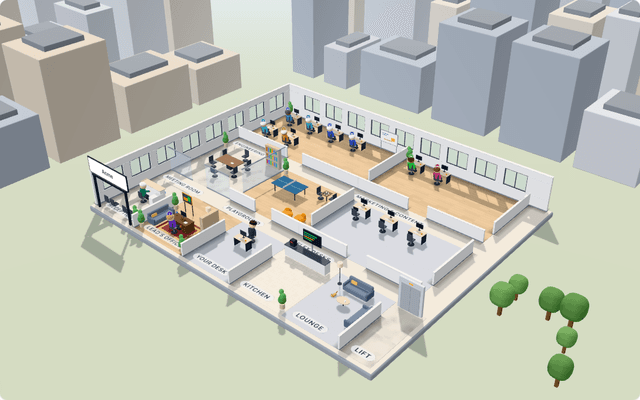
Startup
Wood floors, wide windows, plants everywhere
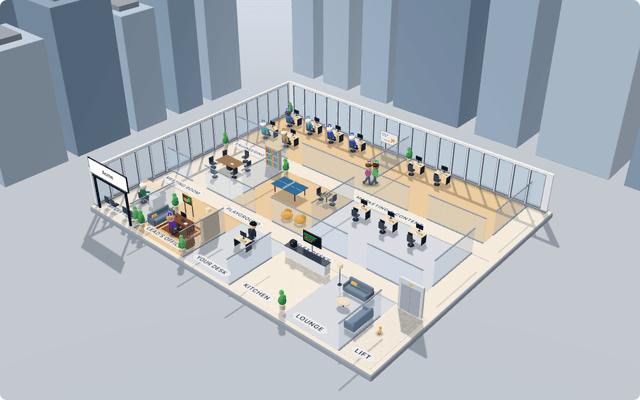
Corporate
Glass offices, floor-to-ceiling windows
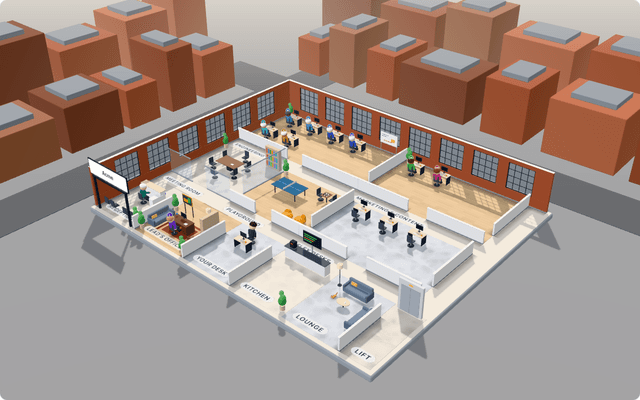
Loft
Brick, concrete and tall factory windows
Campus
Open pods with low walls in a park
Questions
Is the office just a gimmick?
It’s the fastest way to answer “what is everyone doing?”. Every state on the floor — coding, in review, in line, paused, needs you — comes straight from real work, so a glance replaces a status meeting. If something needs you, it shows on that teammate’s desk.
Do we need special hardware?
No. It runs in the browser on a normal laptop, draws frames only while someone moves, and is installable as an app with push notifications.
Can we use it with no AI at all?
Yes. Choose “My own team” and the menus are just Office and Projects: desks, presence, status, calls and meetings for your people. The Team plan is per person.
Are calls private?
Calls are peer to peer between the people in the call (up to 8), and call signalling is only relayed between participants of the same call in your organization.
Keep exploring
The AI team →
Experts in every role, a Lead that routes, skills and working hours.
Engineering →
From a task on your board to a reviewed pull request.
Product & delivery →
Specs, stories, a clean backlog and sprints that plan themselves.
Content & marketing →
Positioning, SEO and articles drafted, edited and ready to publish.
Operations →
Briefs, inbox triage, reports and reminders — on a schedule.
Control & safety →
Guardrails built into how it works.
Open your office today.
Free for up to 3 people. Bring your team, your AI team, or both.